
MyRadar Weather Radar
ACME AtronOmatic LLCWeather
4.8128.19K Reviews
- Version
- Varies With Device
- Installs
- 10.00M
- Age Rating
- Everyone
Screenshots
Our Review of MyRadar Weather Radar
 Analysis by Appyee
I use MyRadar Weather Radar when a general forecast leaves me with the more immediate question: is rain actually moving toward where I am? This weather app, made by ACME AtronOmatic LLC, centers the experience on a map rather than a wall of forecast text. I find that useful when I’m deciding whether to walk, drive, or wait a little before heading out, though a radar view is only one part of making a sound weather decision.
First Impressions and Interface
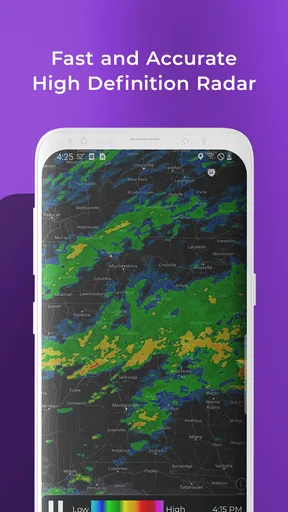
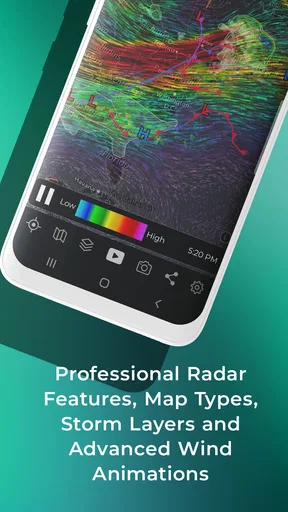
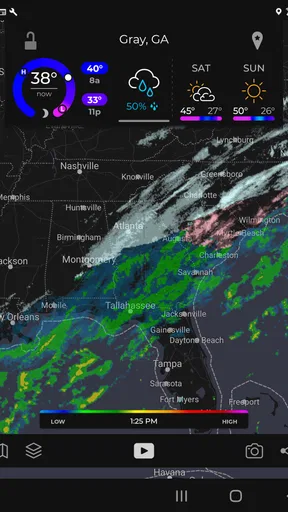
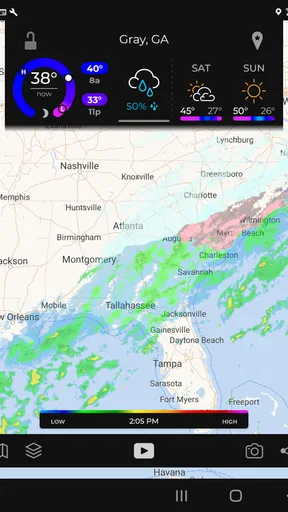
Upon opening MyRadar Weather Radar, I was greeted with a sleek and user-friendly interface. The app’s main screen is dominated by a vibrant weather map that immediately gives you a sense of the current weather patterns. It’s like having a mini weather station right in your pocket! The map is highly interactive, allowing you to zoom in and out with ease, which is particularly handy if you’re checking weather conditions over a wide area.
What struck me most was how fast the app loads data. No one likes waiting, especially when you’re trying to decide if you need to grab an umbrella before heading out. With a quick swipe, you can access different layers, such as wind patterns, temperature, and precipitation forecasts. It’s all very intuitive, and even if you’re not a tech wizard, you’ll find your way around in no time.
Reading the Map Before You Leave
The strongest use for a moving radar map is checking direction and timing, not treating every colored patch as a precise promise about your street. Before a commute or a walk, I’d zoom in on both my starting point and destination, then look at the surrounding area to judge whether a band of rain seems to be approaching or passing. That wider view is often more useful than repeatedly refreshing a single-location forecast.
For example, if I’m about to take a short walk and see rain nearby, I can check whether it appears to be moving across my route or sitting off to one side. I still keep a backup plan: if the walk matters, I bring a light rain layer or choose an indoor option rather than assuming the map guarantees a dry window. Radar helps me make a better call, but it doesn’t replace local awareness or official warnings.
This is also where a map-first app differs from the weather screen built into a phone. A basic forecast is usually quicker for a simple question such as the day’s high temperature. MyRadar is more engaging when the question is spatial: what is happening around me, and what might reach my area next? If I only want a brief daily summary, a simpler forecast app may involve fewer taps.
Features That Stand Out
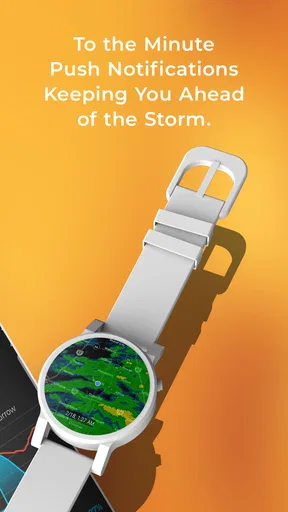
Now, let’s talk features. One of my favorites is the real-time alert system. This feature ensures you’re the first to know about severe weather changes. Whether it’s a sudden storm or a heatwave, you’ll get notified instantly. It’s like having a personal weather assistant.
I’d treat alerts as a useful prompt to check conditions, rather than as a reason to ignore other sources. Notification settings are worth reviewing early: decide which alerts you actually want and make sure the app’s location choice reflects where you need updates. If you commute between places, a warning for your current position may not cover the route or the destination you care about. For high-impact weather, I’d also consult local official guidance.
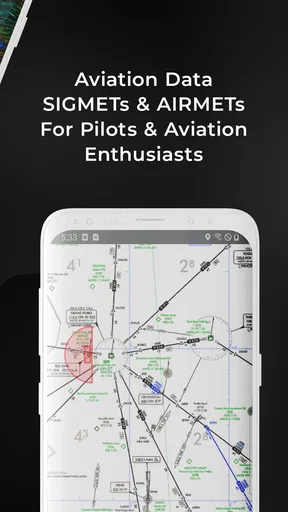
The Future Radar feature is another gem. It allows you to see weather predictions several hours ahead. This is super helpful if you’re planning a day trip or an outdoor event. Plus, the app supports aviation layers, which is a boon for pilots and frequent travelers.
A practical way to use the future view is to check it once while planning, then revisit it closer to departure. Forecasts shown on a map are estimates, and the picture can change as weather develops. For an outdoor gathering, I’d use it to decide whether to set up early, move the activity under cover, or have an indoor alternative—not to promise guests that a particular time will definitely stay clear.
The aviation layers make the app more interesting for people who already understand what they’re looking at, but they don’t turn it into a substitute for flight-planning tools or professional briefings. Frequent travelers may appreciate having weather context in one place, while casual travelers may get more value from checking conditions at the departure and arrival locations in a standard forecast.
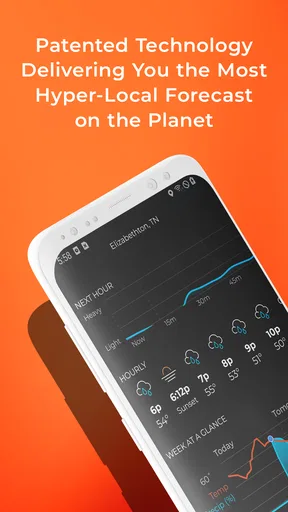
And for those of you who love a deep dive into weather stats, the app offers detailed weather forecasts and conditions. You can even track hurricanes! It’s comprehensive yet accessible, making it a valuable tool for weather enthusiasts and casual users alike.
Customization and Usability
I love an app that lets me tailor my experience, and MyRadar doesn’t disappoint. You can customize the map to show different layers, change the units of measurement, and even select specific regions for weather updates. The app’s flexibility in customization ensures that you get the information that matters most to you.
There is a small trade-off to all those layers: more options can make the map busier. I’d start with the layer that answers the question I have, such as precipitation when deciding whether to take a raincoat, then add other information only when it helps. If several overlays obscure the pattern, switching some off is more useful than trying to interpret everything at once.
Changing units and selecting regions can also make the app easier to use consistently, especially if you follow weather outside your immediate neighborhood. I’d set those preferences before relying on the map during a rushed moment. A little setup reduces the chance of misreading a measurement or checking the wrong place when time is short.
Usability is top-notch. The app runs smoothly without any noticeable lag, and the layout is clean, making navigation a breeze. It’s available on both Android and iOS, so no matter your device, you’re covered.
Trust, Choices, and Cost
When an app sends location-specific weather information, I think it’s sensible to pause and review the choices it presents. I would check the device’s location permission and notification settings, then decide whether I want location access all the time or only while using the app, where those options are available on my device. That is a practical privacy habit, not a claim about how the developer handles information. I don’t assume a particular data practice without a clear explanation from the app or its privacy materials.
The same care applies to alerts. I’d keep only the notifications that are useful to me, and I’d revisit them if they become distracting. A map app is most helpful when it supports a decision rather than pulling attention away from it. If I’m driving, I check before setting off instead of trying to study animated radar while on the road.
The app is free to download, with optional in-app purchases ranging from $2.99 to $29.99 per item. I’d begin with the free experience and decide whether I need anything beyond it based on my actual routine, rather than paying just because an extra option is visible. MyRadar is rated for Everyone, and its broad audience makes sense: casual users can look for rain, while weather enthusiasts can explore more of the map.
Its established presence is reflected in an average rating of 4.8 from around 325,000 ratings, with about 120,000 written reviews and over 10 million installs. Those figures suggest many people have tried it, but they don’t tell me whether its map style or alerts will suit a particular person. The app has been available since January 24, 2012, and I still judge it by how clearly it helps with the decisions I make today.
Who Will Get the Most from It
I think the app is a good fit if you regularly make plans around passing rain, want to inspect conditions beyond one forecast location, or enjoy looking at weather as it moves across a map. Walkers, cyclists, gardeners, and people arranging outdoor plans may find that spatial view more useful than a single daily icon. Someone who follows storms as a hobby may also appreciate having multiple map layers available without needing to start with a technical-looking interface.
It may be less appealing if all you want is a compact answer about today’s temperature, or if you prefer a text-first forecast with minimal setup. A map can invite you to keep checking it even when a simple forecast would do. And if you need dependable instructions during severe weather, no consumer radar display should be your only source; official local alerts and emergency advice take priority.
For day-to-day use, I’d make a quick routine: check the radar before leaving, compare the route rather than only the endpoint, and use alerts as a reason to look again when conditions matter. That gives the app a clear job without turning it into an all-purpose authority. The useful question is not whether the screen can show every weather layer, but whether the view changes what you sensibly do next.
Final Thoughts
In a world where the weather can be unpredictable, having an app like MyRadar Weather Radar is a game-changer. It’s reliable, fast, and packed with features that cater to both the weather curious and those who just want to know if they need a raincoat.
If you’re someone who likes to stay one step ahead of Mother Nature, I’d definitely recommend giving MyRadar a try. It’s like carrying a meteorologist in your pocket, without the need for a degree in atmospheric sciences!
Privacy and Permissions
See what permissions an app requests and how it handles your data.
- Location
- approximate location (network-based), precise location (GPS and network-based)
- Phone
- read phone status and identity
- Wi-Fi connection information
- view Wi-Fi connections
- Device ID & call information
- read phone status and identity
- Other
- view network connections, full network access, control Near Field Communication, run at startup, prevent device from sleeping
Verdict
Strengths of MyRadar Weather Radar
- Offers detailed, real-time weather updates.
- User-friendly interface for quick navigation.
- Customizable alerts for severe weather.
- High-resolution radar imagery for accuracy.
- Works seamlessly across multiple devices.
Limitations of MyRadar Weather Radar
- Free version includes ads that may distract.
- Premium features require a subscription.
- Data usage can be high with frequent updates.
- Some users report occasional app crashes.
- Limited offline functionality.
Other Releases by ACME AtronOmatic LLC
View All
MyRadar Weather Radar Pro
Weather4.8
Similar Picks in This Category
View All
Weather - By Xiaomi
Xiaomi Inc.4.1

Weather & Radar Forecast
WetterOnline4.8

Weather
OneLouder Apps4.6

AccuWeather: Weather Radar
AccuWeather3.6

The Weather Channel - Radar
The Weather Channel4.6

1Weather Forecasts & Radar
OneLouder Apps4.3
Frequently Asked Questions
What features does MyRadar Weather Radar offer?
MyRadar Weather Radar provides real-time weather updates with animated radar, allowing users to see weather patterns across the globe. It includes features like storm tracking, emergency weather alerts, and hourly forecasts. Additionally, premium features such as aviation layers and hurricane tracking are available for those needing more detailed information.
Is MyRadar Weather Radar free to use?
Yes, MyRadar Weather Radar is free to download and use. However, it offers in-app purchases for additional features like ad removal and premium data layers. Users who require more detailed weather information or prefer an ad-free experience may find these premium options beneficial.
How accurate is the weather data provided by MyRadar?
MyRadar Weather Radar sources its data from reputable meteorological organizations, ensuring high accuracy in its forecasts and warnings. The app is designed to provide real-time updates, which helps users stay informed about changing weather conditions. However, as with any weather app, occasional discrepancies may occur.
Does MyRadar Weather Radar work offline?
MyRadar Weather Radar requires an internet connection to provide real-time updates and live radar animations. While some basic information may be cached for offline viewing, full functionality, including up-to-date forecasts and radar images, necessitates an active internet connection.
Can I customize the alerts and notifications in MyRadar?
Yes, MyRadar Weather Radar allows users to customize alerts and notifications according to their preferences. Users can set specific weather conditions for which they wish to receive notifications, such as severe weather alerts or changes in temperature, ensuring they only receive relevant updates.
